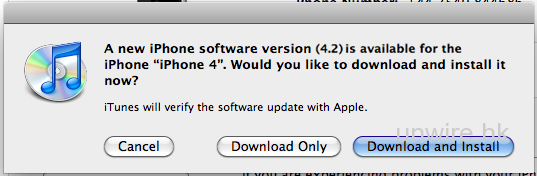
有讀者指接上 iPad/ iPhone 後未看見到有更新訊息,如果你急忙更新可以先下載以下的更新檔,在 iTunes 上按著 Shift 就可以選擇更新了
直接下載 iOS 4.2 (官方網址)
* 想緊貼更多 iPhone/iPad 消息的話,請到 <facebook.unwire.hk >的專頁內頭頂按「讚好」加入我們,每天就會收到最新的免費資訊了,一定不會錯過! **
分享到 :
最新影片


 還看不到 iOS 4.2.1 更新? 進來吧
有讀者指接上 iPad/ iPhone 後未看見到有更新訊息,如果你急忙更新可以先下載以下的更新檔,在 iTunes 上按著 Shift 就可以選擇更新了
直接下載 iOS 4.2 (官方網址)
* 想緊貼更多 iPhone/iPad 消息的話,請到 <facebook.unwire.hk >的專頁內頭頂按「讚好」加入我們,每天就會收到最新的免費資訊了,一定不會錯過! **

我見到
Do I need to back up everything before installing this new OS like I do with Windows? Thanks.
你更新之前發現你之前備份已相隔一段時間的話,會自動幫你即時再備份
我部 iPad jailbreak 左, 可唔可以教我點樣可以 upgrade 左之後依然都係 jailbreak?
Appreciating the persistence you place into your internet site and in depth information you provide. It is good to return across a blog each once in a while that isn’t the same outdated rehashed information. Amazing read through! I have saved your internet site and I’m introducing your RSS feeds to my Google account.
return man 2