

今日 HP 除推出使用 Win 8 系統的 14 吋平價 Notebook - Pavilion Sleekbook 14 外,亦推出這款不需 $6000 的 14 吋 Win 8 Ultrabook 系列,值得留意的是它跟之前介紹過的同廠 Pavilion Sleekbook 14 一樣有黑紅二色可選,另外 2 款產品均擁有相同的尺寸和外型。除此以外 Pavilion Ultrabook 14 有 2 款規格可供選擇,分別在於是使用 Intel 內置顯示核心 ($5980) 或使用有 1GB 獨立記憶體的 NVIDIA GeForce GT 630 顯示卡 ($6480),不開機的話用家只可靠機身貼紙辨別。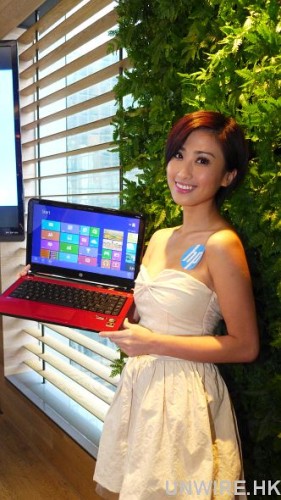
硬件明顯「升呢」
它雖跟 Pavilion Sleekbook 14 擁有相同外型設計和尺寸,但兩者價格有 $1600 差別,HP 當然在它身上加上較強硬件令用家感受到兩者分別。它用上 1.7GHz 的 Intel Core i5-3317U 雙核處理器,它擁有 Intel 的自動超頻技術 (Turbo Boost Technology) 令它可以 2.6GHz 穩定運作,加上支援 Hyper-Threading 技術令它有接近 4 核處理器的效能,在多工情形下用家明顯會感到它跟 Sleekbook 14 的分別。它的平價版雖同樣是使用 Intel 內置顯示核心,但型號跟 Sleekbook 14 不同之餘亦提供較佳效能。
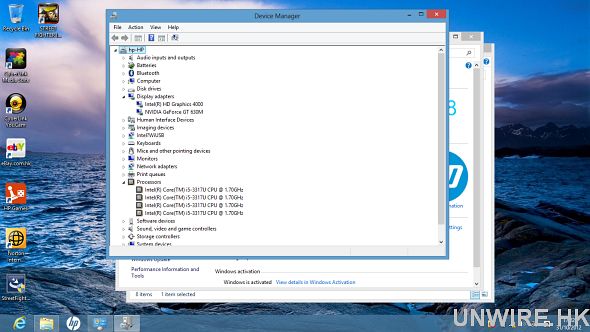
因支援 Intel Hyper-Threading 技術,因此它會顯示成 4 顆處理器核心,有效能要求用家可考慮配備 NVIDIA GeForce GT 630 顯示卡版本,它更擁有獨立 1GB 的記憶體。
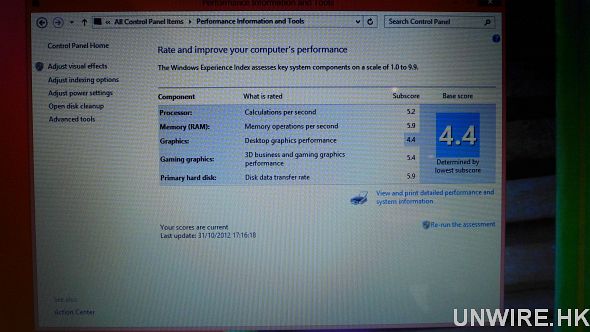
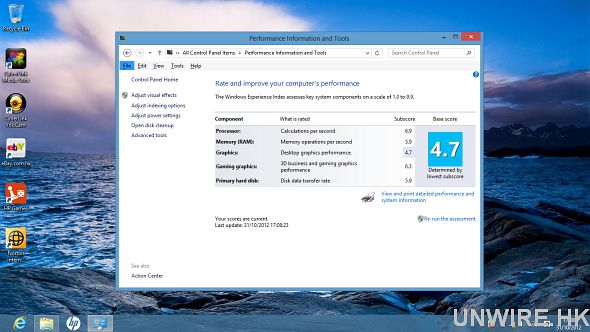
上下分別為 Sleekbook 14 和 Ultrabook 14 (使用 Intel 顯示核心版本),當中處理器得分分別為 5.2 和 6.9,另外圖像處理部份得分分別為 4.4 和 4.7 分。
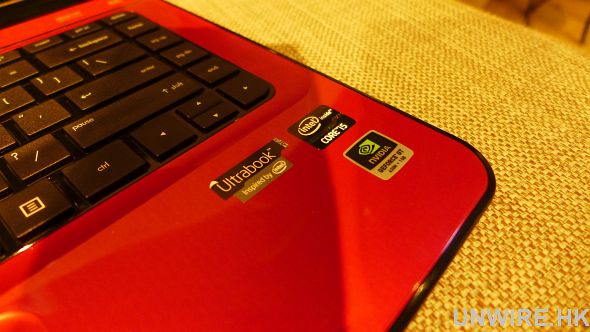
可透過機身貼紙辨別是 Sleekbook 14 還是 Ultrabook 14,亦可得知是否使用 NVIDIA 顯示卡版本。
SSD+硬碟 =速度和安全性提升
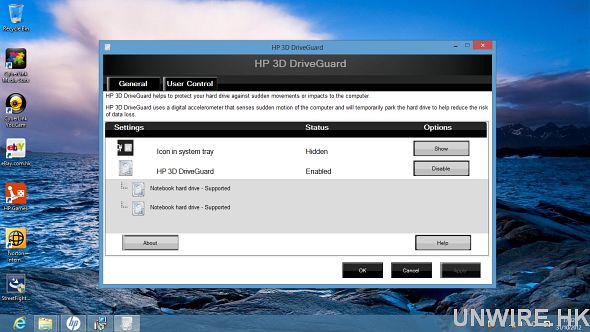
它用上 32GB SSD 加 5400rpm 的 750GB 硬碟設計,透過支援 Intel Rapid Start 及 Intel Smart Response 技術,令它的開機時間和多工處理時的等待時間較 Sleekbook 14 短得多。另它亦比 Sleekbook 14 多了 HP ProtectSmart 硬碟保護技術,當電腦受到撞擊或碰撞時,透過自動暫停硬碟操作,減少資料檔案因而遺失或損壞的機會。
夠涼又夠靜
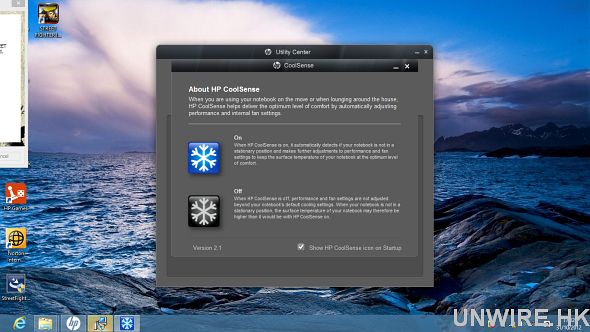
雖然它比不少 Ultrabook 厚 (厚度為 21mm),但因有獨立顯示卡可能不少人都擔心它的散熱是否足夠,不然長期使用的話好大可能會「被熱死」,幸好它有 HP 獨家 CoolSence 技術,能偵測環境和需要自動調節風扇轉速,為用家提供寧靜又涼快的使用感受。
其他:
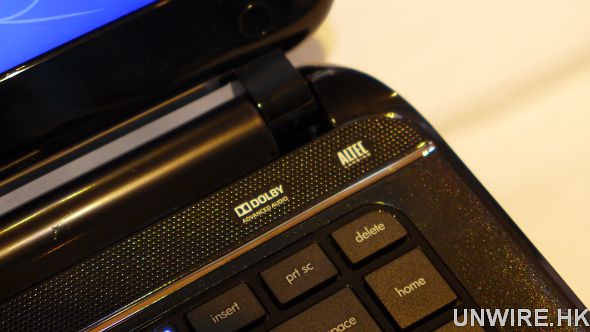
跟 Sleekbook 14 一樣 Altec Lansing 揚聲器加 Dolby Advanced Audio。
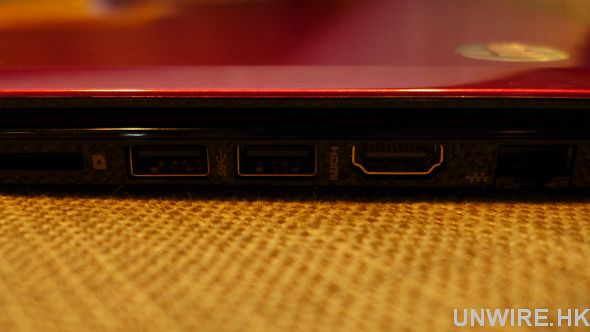
同樣提供 HDMI、2 組 USB 3.0、1 組 USB 2.0 和記憶卡插槽,亦同樣只有 4cell 電。
價格:$5980 (只有 Intel 顯示核心) / $6480 (使用 NVIDIA 顯示卡)
規格:www.hp.com.hk
查詢:800-93-8893
評:
對不少人來說 Ultrabook 跟 Notebook 的分別是,前者較後者有更輕薄便攜的優點,不過 Pavilion Ultrabook 14 雖名為 Ultrabook,但擁有 14 吋熒幕的它相信已令不少人當它是 Desktop Replacement 多於 Notebook (更不要說便攜性較佳的 Ultrabook)。話雖如此,如預算有限又想要購買有牌子、有品質保證、又不常外攜的 Win 8 Notebook,它會是個不錯的選擇。
,
分享到 :
最新影片

Hello Web Admin, I noticed that your On-Page SEO is is missing a few factors, for one you do not use all three H tags in your post, also I notice that you are not using bold or italics properly in your SEO optimization. On-Page SEO means more now than ever since the new Google update: Panda. No longer are backlinks and simply pinging or sending out a RSS feed the key to getting Google PageRank or Alexa Rankings, You now NEED On-Page SEO. So what is good On-Page SEO?First your keyword must appear in the title.Then it must appear in the URL.You have to optimize your keyword and make sure that it has a nice keyword density of 3-5% in your article with relevant LSI (Latent Semantic Indexing). Then you should spread all H1,H2,H3 tags in your article.Your Keyword should appear in your first paragraph and in the last sentence of the page. You should have relevant usage of Bold and italics of your keyword.There should be one internal link to a page on your blog and you should have one image with an alt tag that has your keyword….wait there’s even more Now what if i told you there was a simple WordPress plugin that does all the On-Page SEO, and automatically for you? That’s right AUTOMATICALLY, just watch this 4minute video for more information at. Seo Plugin
I like this web blog very much, Its a rattling nice situation to read and obtain info . “‘Taint’t worthwhile to wear a day all out before it comes.” by Sarah Orne Jewett.
Adidas Pro Model http://www.derrickroseshoesnba.com/adidas-pro-model-c-159.html
「用上 32GB SSD 加 5400rpm 的 750GB 硬碟設計…」?HP為你介紹使用上Apple Fusion Drive既第一款Ultrabook?
「用上 32GB SSD 加 5400rpm 的 750GB 硬碟設計…」?HP為你介紹使用上Apple Fusion Drive既第一款Ultrabook?