


去年推出的 ASUS ZenBook 可算是開創了超薄 Ultrabook 的先河,不過由於外形和 MBA太過相似而受到蘋果粉絲非議。剛剛 ASUS在香港舉行盛大的產品發佈會,推出全新的 ZenBook Prime UX21A/UX31A 系列第二代Ultrabook,新機除了配備最新Ivy Bridge處理器,最大突破是首次在11.6 吋筆電上探用1080p IPS 面板屏幕,正式進入全高清時代!
ASUS ZenBook Prime UX21A

隨機配備最頂級的 Intel Core i7-3517U 1.9GHz 低功耗版本雙核處理器,內置 4GB DDR3 1600MHz 記憶體及 Intel HD Graphics 4000 顯示功能,而且 SSD 容量亦高達 256GB,規格和另一Ultrabook 機王 Samsung Series 9 睇齊。不過它只配備 SATA3 介面的 MLC SSD,未有採用如:Acer、Sony 的 RAID SSD 設定,資料讀寫速度只屬中上水平。
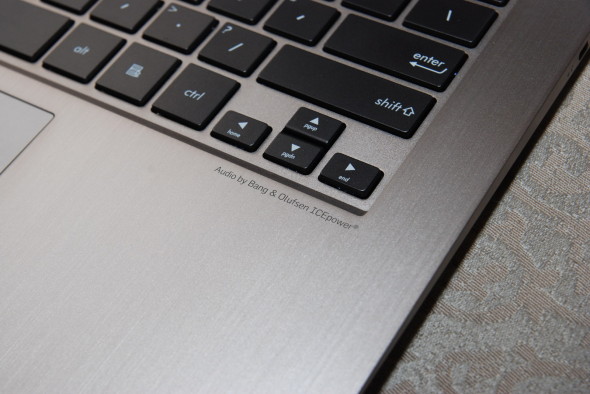
配備Bang & Olufsen ICEPower喇叭,而且又有ASUS Sonic Master金耳朵團隊進行優化,音色比一般Ultrabook更悅耳。
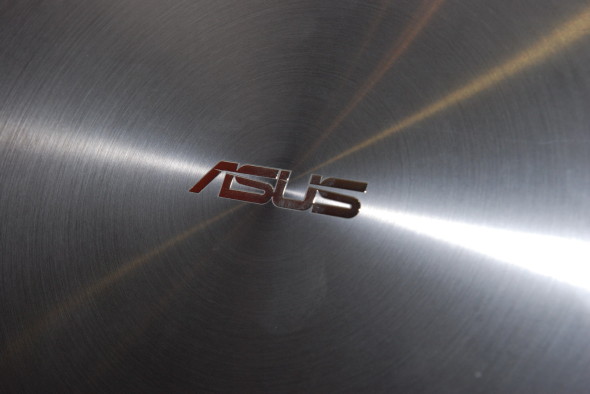
獨特的同心圓圖案刻紋設計,一看便知是ASUS ZenBook筆電
今次推出的ZenBook Prime UX21A(11.6″)和 UX31A(13.3″)均配備了 1080p 全高清 IPS 屏幕,除了可視角度高達178度之外,它的對比度更達 800:1,畫面更加細緻,而且它的殘影問題及屏幕硬度均較常見的 TN 面板來得出色,畫質絕對可以和 MBA決一高下。

機身前端最薄之處只有3mm厚,繼續大玩激薄元素

最厚處大約是半個港幣$2圓直徑
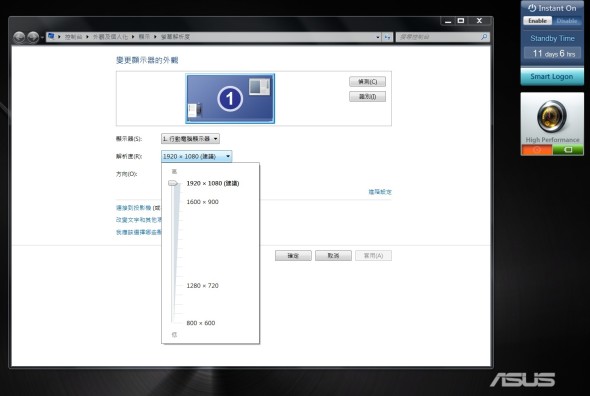
顯示設定可見 1920 x 1080解像度選項

打開 unwire.hk網站可以看到IE兩旁的空間,畫面細緻度相當高。
僅重 1.18kg 的UX21A機身除了備有2個 UBS3.0介面外,亦設有 Micro-HDMI和 Mini-VGA 接口,而 UX31A機身則多加一個 3合1讀卡器,而且重量亦微微增加至 1.3kg。另分,雖然近期多了配備獨顯的UltraBook,不過只限一些14吋或15.6吋大機種,不過廠方推出全新的 ZenBook Prime UX32VD便是一款內置 NVIDIA GeForce GT620M顯示卡的 13.3吋 Ultrabook,它的屏幕解像度只有1366×768(720p),而且亦只得Intel Core i5處理器及24GB SSD + 500GB硬碟配置選擇,不過它的價錢只需 $8998,比起Core i5版的 UX21A還要平上$500,更加適合喜歡打機的朋友。

13吋屏幕的UX31A和UX32VD在機身左側設有讀卡器,而UX21A則沒有此功能
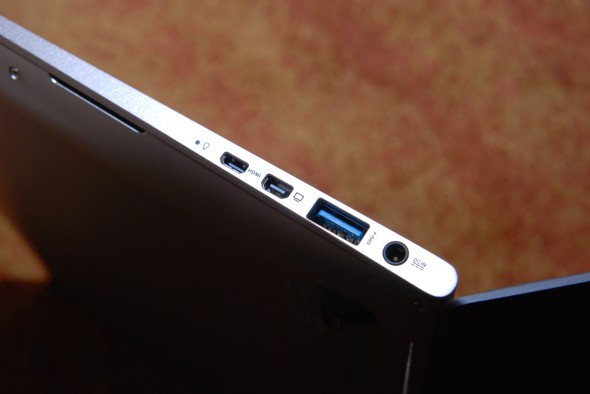
UX31A把Mini VGA和Micro HDMI輸出介面齊齊安排在機身右邊,比起下圖的UX32VD簡潔得多。
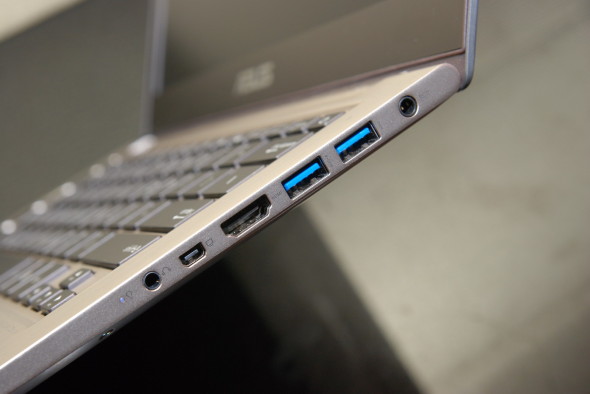
UX32VD備有Full-Size的HDMI輸出,終於不用使用 Adapter 了。
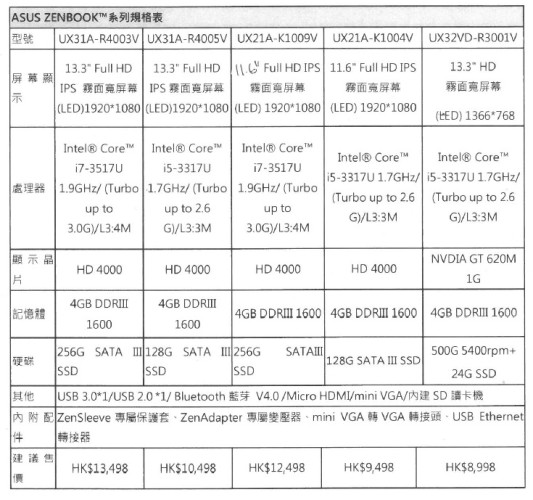
規格表:
分享到 :
最新影片

Hello Web Admin, I noticed that your On-Page SEO is is missing a few factors, for one you do not use all three H tags in your post, also I notice that you are not using bold or italics properly in your SEO optimization. On-Page SEO means more now than ever since the new Google update: Panda. No longer are backlinks and simply pinging or sending out a RSS feed the key to getting Google PageRank or Alexa Rankings, You now NEED On-Page SEO. So what is good On-Page SEO?First your keyword must appear in the title.Then it must appear in the URL.You have to optimize your keyword and make sure that it has a nice keyword density of 3-5% in your article with relevant LSI (Latent Semantic Indexing). Then you should spread all H1,H2,H3 tags in your article.Your Keyword should appear in your first paragraph and in the last sentence of the page. You should have relevant usage of Bold and italics of your keyword.There should be one internal link to a page on your blog and you should have one image with an alt tag that has your keyword….wait there’s even more Now what if i told you there was a simple WordPress plugin that does all the On-Page SEO, and automatically for you? That’s right AUTOMATICALLY, just watch this 4minute video for more information at. Seo Plugin