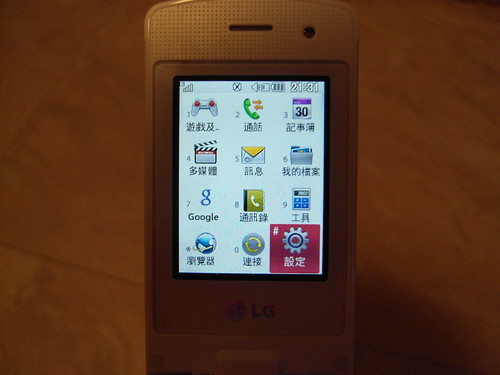
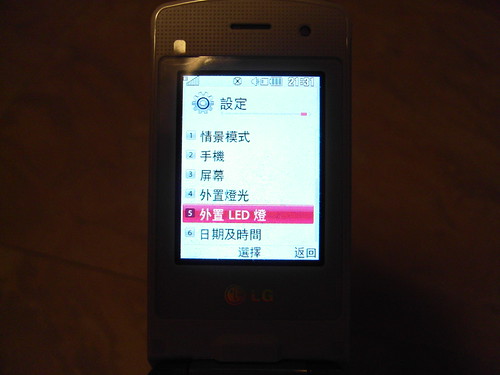
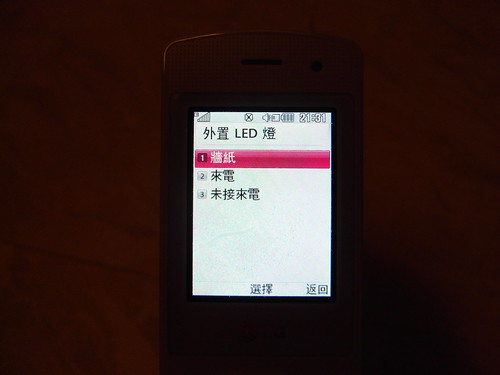
第一步:按下「OK」鍵進入主菜單。 第二步:進入「設定」。 第三步:選擇「外置 LED 燈」。 第四步:選擇「牆紙」。 第五步:然後用家可看到「數字時鐘」、「情感圖示」、「動物」、「物件」及「其他」五個種類,共 46 款動畫供用家選擇。選好後按「OK」鍵選擇。 第六步:完成時畫面應會出現「已更改」訊息,即代表外置 LED 燈已被更改。 第七步:合上機蓋,便可看到以 LED 燈組成的動畫便在鏡頭下方出現。
(二)自行設計動畫
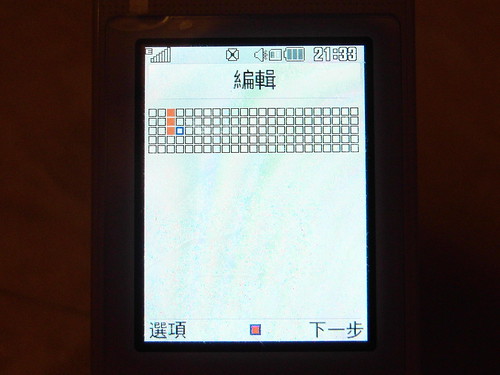
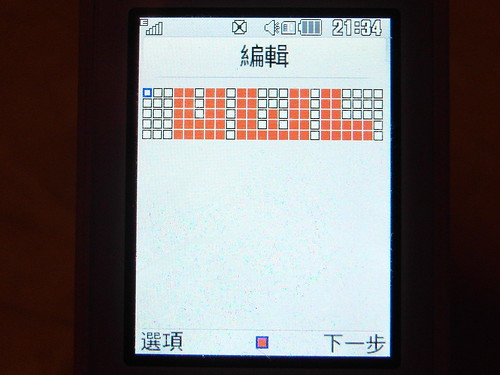
如果你對預設動畫還不太滿意,希望自行設定擁有自己風格的 LED 燈動畫,LG Ice-Cream KF350 亦設有此功能,讓用家自行設計 115 盞 LED 燈的開關。至於方法,請參考以下圖解教學吧。
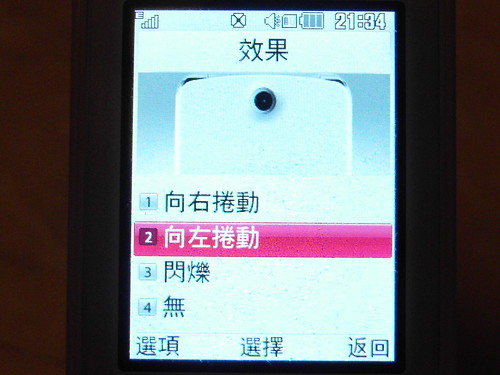
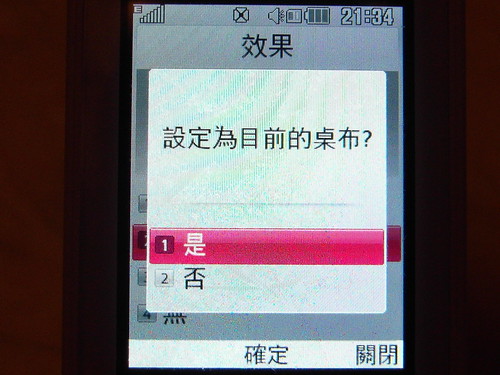
(第一步至第四步與第一部分相同,請參考上方圖解。) 第五步:點選「牆紙」後,進入「我的牆紙」一欄,然後移至「空白」欄,再選擇「編輯」。 第六步:畫面會出現所有 115 盞 Led 燈虛擬位置,用家可自行設計出 Led 燈動畫。 第七步:完成後,選擇「下一步」。 第八步:此時選擇動畫出現效果。 第九步:最後點選「是」設定自行設計的 LED 燈動畫為桌布,便能成功自設動畫。
I intended to compose you that very little word to be able to thank you yet again for your extraordinary solutions you’ve shared on this website. It’s simply incredibly open-handed with you to convey easily what most people might have offered for sale as an e-book to get some cash for themselves, particularly considering that you might well have tried it in the event you desired. These ideas likewise worked to be the great way to be sure that other individuals have similar passion much like my very own to understand good deal more with regard to this matter. I’m sure there are a lot more enjoyable times in the future for folks who view your blog.


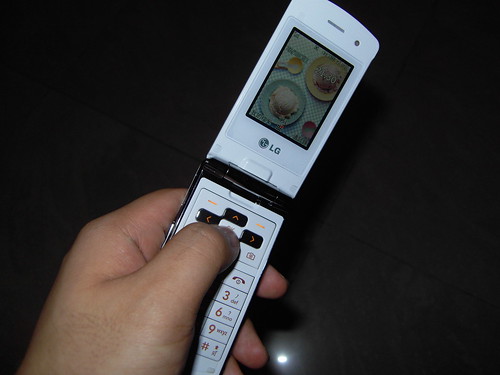
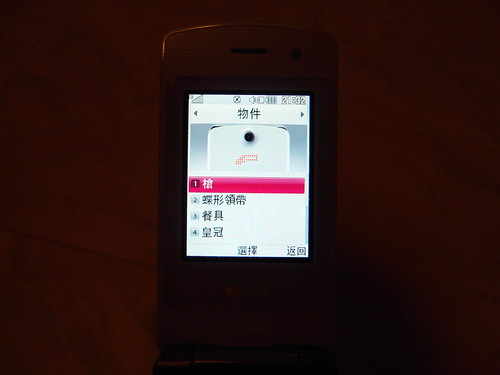
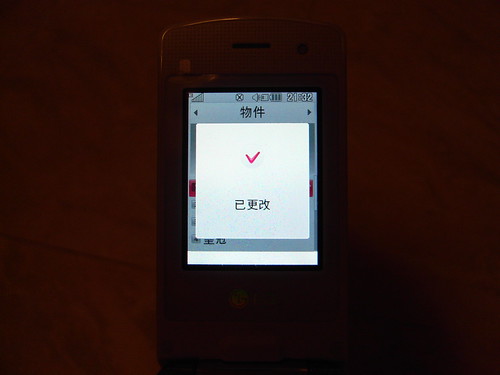
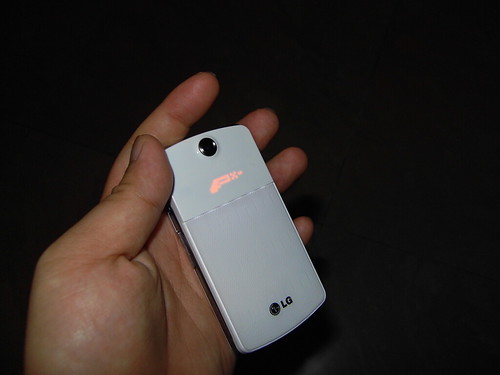
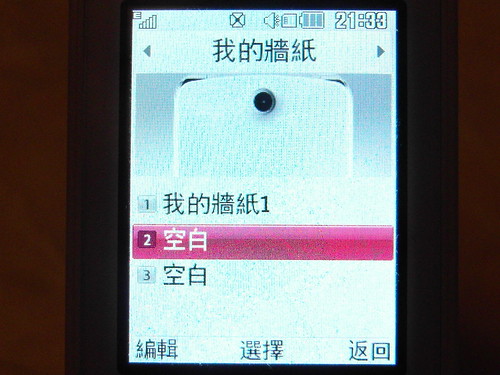


[…] 此外,KF350 的另一特色,便是在機面設有兩組隱藏式 LED 燈,以 115 顆心之傳情 LED 燈泡,用家更可自製特色動畫、或簡單地顯示時間、來電號碼等。至於設定辦法,請按此進入另一篇報導。 […]
I intended to compose you that very little word to be able to thank you yet again for your extraordinary solutions you’ve shared on this website. It’s simply incredibly open-handed with you to convey easily what most people might have offered for sale as an e-book to get some cash for themselves, particularly considering that you might well have tried it in the event you desired. These ideas likewise worked to be the great way to be sure that other individuals have similar passion much like my very own to understand good deal more with regard to this matter. I’m sure there are a lot more enjoyable times in the future for folks who view your blog.